
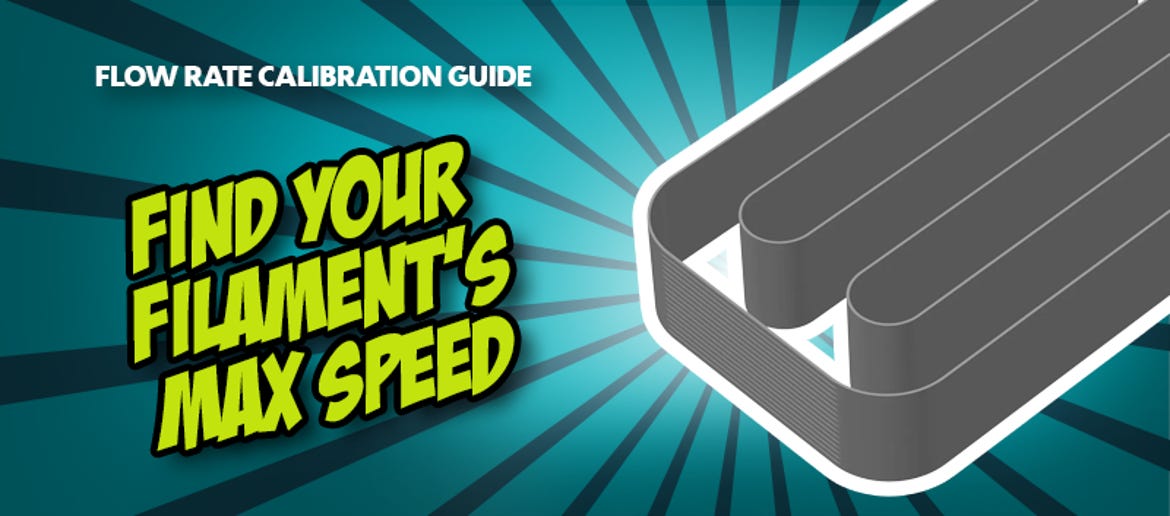
Maximum Volumetric Speed (MVS): How to Print Faster Without Under-Extrusion
You'd like to print faster, but worry about faulty layers or clogged nozzles? Many in the 3D printing community simply increase the raw printing speed in their slicer. However, this often leads to frustration, resulting in gaps in the print (under-extrusion) or brittle components.
The real bottleneck is not the movement of the print head, but the maximum volumetric speed (MVS). This determines how much melted filament the hotend can reliably push through the nozzle per second.
Why MVS is the most important value in the slicer
The purely mechanical speed of a printer is useless if the hotend cannot keep up with melting the plastic. MVS is measured in mm³/s (cubic millimetres per second).
Knowing your MVS and saving it in the slicer offers four key advantages:
- Safe high-speed printing: The slicer automatically calculates the maximum speed for each layer height without overloading the hotend.
- No more extrusion errors: Under-extrusion and weak layer adhesion are effectively prevented during high-speed printing.
- Optimised for every material: Whether PLA, PETG, ABS, ASA, or flexible TPU, every filament has its own MVS limit.
- Better surface quality: A consistent material flow ensures noticeably smoother, more uniform layers.
How to correctly calibrate the maximum volumetric speed of your filament
To find the absolute limit of your setup, it is best to use a standardised test print, which is already built into modern slicers such as OrcaSlicer.
► Prepare the test model: Select the 'Max Volumetric Flow' calibration test in the slicer. This usually loads a simple tower. During the print, the slicer continuously increases the volumetric flow rate, for example, from 5 mm³/s to 30 mm³/s.
► Start the test print: Print the model using the filament that needs to be optimised. Observe the print closely, especially the upper layers.
► Analyse the defect: Examine the finished model carefully. From a certain height onwards, the surface will become matte, rough, or show visible gaps. This indicates where the extruder started skipping steps because the hotend could not melt the filament quickly enough.
► Measure and calculate the limit: Measure the height in millimetres up to the point where the printing defect began. Enter this value into the formula provided by the slicer test to calculate the exact MVS limit in mm³/s.
► Adjust the slicer profile: Enter the determined value into the Max Volumetric Speed field under the filament settings in the slicer. A safety margin of approximately 10% is recommended.
Expert tip for practical use: Standard hotends, such as classic V6 clones, usually manage between 11 and 15 mm³/s with PLA. Modern high-flow hotends, like the Bambu Lab hotend or the Phaetus Dragon, easily reach 24 to 32 mm³/s. Due to its flexibility, TPU must be printed much more slowly, often at just 3 to 6 mm³/s.
Conclusion: Faster printing is pure physics – not guesswork!
Maximum volumetric speed (MVS) is arguably the most underestimated parameter in the slicer. Knowing the limitations of both the hotend and filament eliminates the guesswork associated with adjusting speed sliders. Rather than arbitrarily increasing the speed in millimetres per second and risking failed prints, a calibrated MVS limit allows the printer to operate at its safe maximum limit in all situations.
Best of all, the calibration takes little more than 20 minutes, including the test print. It saves hours of troubleshooting under-extruded components in the future.
Latest reviews
-
nice essentials PLA Basic Dark Blue, 1.75 mm / 1000 g
- Made in Austria
- Bio-based plastic
- Excellent quality
-

-
Bambu Lab P2S
- Build volume: 256 x 256 x 256 mm
- PMSM servo extruder with 8.5 kg extrusion force
- Adaptive airflow system for variable cooling
-
Bambu Lab A1 Mini Combo
- Bambu Lab A1 mini 3D printer
- Bambu Lab AMS Lite material system
- Seamless integration
Magazine Articles:
- YouTube Episode: Leather Bag Part Deux: Electric Boogaloo!
- YouTube Episode: AI Generated Models Are Great! Just Not For 3D Printing...
- Comparing 3D Printing Materials: How to Choose the Right Filament for Your Project
- YouTube Episode: The Elegoo Centauri Carbon 2 - A Carbon Copy?
- Mesh Booleans in 3D Printing: Cut, Combine & Customise Models Without CAD!
-
Ireland: Free standard delivery from € 87,90
-
Free
returns More than 10.600 products
We deliver worldwide to
more than 40 countries
